
Chores, rewards and focus for families
Chores that end in rewards, not reminders.
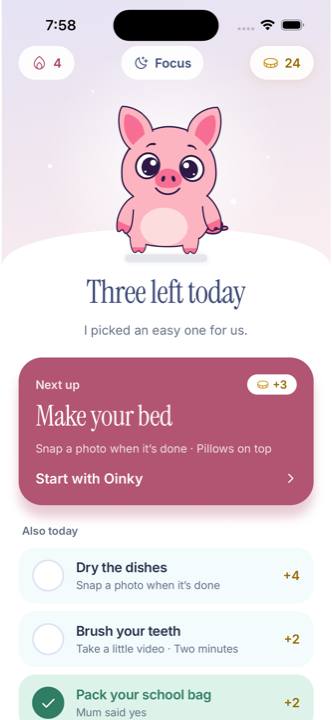
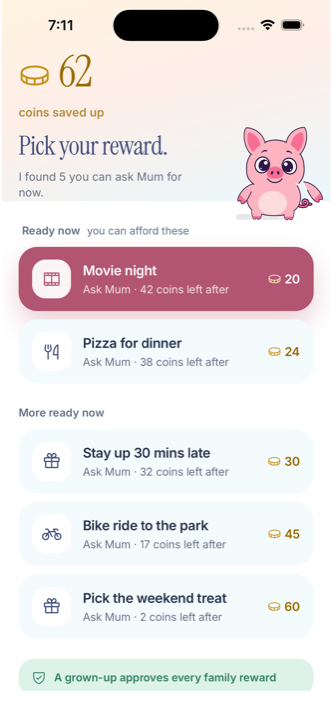
Parents set each chore and what it earns. Kids see what is due, send photo or video proof when a chore asks for it, and collect coins towards rewards the family chose.
- For kids roughly 6 to 13+
- iOS 17 or later
- Free while we grow
Chores should not turn into constant chasing.
Parents repeat the same reminders and still cannot see what is finished.
Children lose track of what they need to do and what they are working toward.
Rewards and screen-time routines live in separate conversations.
Oinky gives every family member a clear next step, while parents keep control of chores, rewards and access.
One simple family loop
Parents set the chores
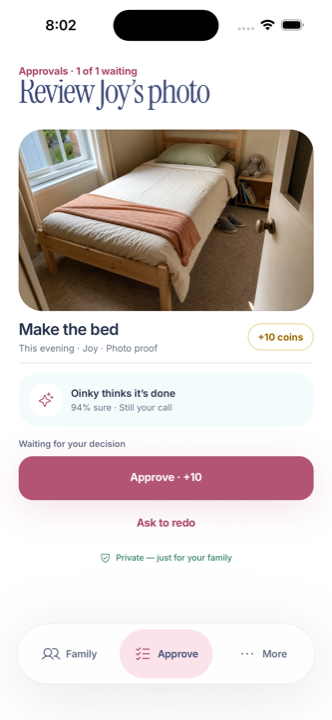
A parent sets each chore, what it earns in virtual coins, and whether it needs photo or video proof.
Kids submit their work
Kids see their chores and submit them when they are done, with photo or video proof when the chore asks for it.
Parents review and reward
Parents review the completed chores. Kids earn coins towards rewards the parent chose, and Oinky Focus can hold selected apps until chores are done.
Built for families, controlled by parents
Chores with coin values
Parents set chores, schedules, what each one earns and whether it needs proof.
Proof checked on the iPhone
Photo and video proof is checked by an AI model that runs on the device itself. Parents still review the completed chore.
Rewards the parent chooses
Kids earn virtual coins towards rewards the parent sets up. Coins are a family tool with no cash value.
Oinky Focus
Oinky Focus uses Apple Screen Time controls to hold selected apps until chores are done, on supported devices with the required permissions.
Privacy and children
A parent or carer creates the family and manages it. Here is what Oinky collects, and what it does not.
- What we collect from parents
- Account and membership details needed to run the family subscription, purchase information from Apple, product usage analytics, a screen recording of the parent’s first-time setup, and crash reports.
- Children
- Children use Oinky through a family a parent set up. Oinky does not provide public child profiles, public posting or messaging with strangers.
- Crash reports
- Crash reports are redacted of identifying details.
- Chore photos and videos
- Proof is checked on the device. Raw photos and videos stay on family devices, encrypted, and are not stored on Oinky servers.
- Third parties
- Apple processes subscription payments. RevenueCat runs on every device, including a child profile, and records App Store purchases for our subscription reporting using a random family account token with no name, email or child ID. Oinky’s own servers decide whether a membership is active. We do not receive full payment card details.
- No selling of data
- We do not sell personal information, and we do not use children’s information for targeted advertising or cross-app tracking.
Frequently asked questions
Your family routine, in one clear place.
Set chores, keep progress visible and make rewards easier to follow.

Oinky is free for every family while we grow. If paid plans return, we will tell you in the app first.